Claude Code Power User Tips
Introduction
I have been recently talking A LOT about Claude Code with friends and acquaintances of varying technical level. Hello if you are one of them :) To just have a single document to send them to (and also for future me), I decided to write some notes on my Claude Code learnings. This is Part 2 for more technical users.
Check out Part 1: Getting Started with Claude Code if you are more interested in the general tips.
I am currently heavily experimenting with Claude Code in the CI/CD pipeline. This will be a future blog post, so stay tuned if you are interested in that!
Subagents: UI-Validator + Playwright MCP
One of my favourite Claude Code tips: Provide Claude Code access to Playwright and let it visually check its own work! When planning, think of the optimal state and acceptance criteria. Once the implementation is done, you can let CC check the implementation visually against your requirements and acceptance criteria. Claude can check its own work by this and create a feedback loop until a good state is reached.
To install the MCP for Playwright, run this in your project directory:
claude mcp add playwright npx '@playwright/mcp@latest'Tip: You can use npx playwright codegen to record browser interactions and generate test scripts automatically. Start at a specific URL with npx playwright codegen http://localhost:3000.
For example if you have a workflow that needs to be tested but it's a couple layers deep in your application, you could have deterministically defined Playwright steps to get to that point and only then hand over to Claude to do the dynamic testing part. This saves time and tokens.
Additionally, I wrap this with a UI-Validator agent definition outlining the exact steps and guidelines for visual verification. The advantage about using a subagent is that we can have a separate config (vs. the one for the general session) for:
- tools: You can specify exactly which tools you allow the subagent to use (
mcp__playwright__browser_navigate, mcp__playwright__browser_snapshot, mcp__playwright__browser_take_screenshot, mcp__playwright__browser_click, mcp__playwright__browser_resize, mcp__playwright__browser_hover, mcp__playwright__browser_close, Read, Glob) - the model: currently I use Sonnet
- permissionMode: I set this to
bypassPermissionsso that the agent can directly access the localhost without asking for approval every time. It opens a debug chrome without my cookies and other session details. Therefore I accept the risk
Skills
Skills are a simple way to extend Claude Code with specific task definitions and handy quick access via the slash / selector. A couple examples that should be helpful for everybody:
/gh-issue <Write your story here>: Define issue, find edge cases, check if there are overlapping GitHub issues. If yes: flag them to me, if no: add the issue to GH/commit: Commit changes (with pre-commit checks, groups changes logically, commits in logical groups with message convention). Can clearly define in the Skill how commits should be structured/review: Review and highlight code changes in feature branch vs. current dev branch
Workflow Tweaks
Using hooks
Claude Code has extensive support for custom hooks to interact with the Claude Code lifecycle. Sky is the limit with these, but one of the classic cases for this IMO is making Claude more interactive by adding sounds to certain events in Claude Code.
For example, I configured CC to always play a sound on the Stop hook. The same can be done for whenever Permissions are requested etc.
#!/bin/bash

# Claude Code completion sound hook

# Plays a sound when Claude finishes a task

SOUND_FILE="/Users/YOUR_NAME/.claude/sounds/sound.m4a"

# Check if sound file exists

if [[-f "$SOUND_FILE"]]; then # Use afplay (macOS) to play the sound file
afplay "$SOUND_FILE" &
else
echo "Sound file not found: $SOUND_FILE" >&2
fi
You can also easily adapt it via this repo. It uses some sound effects from the games Warcraft3 or Starcraft sounds. Takes me right back to the good old days.
Extra Repo Clones for parallel prompting
When working on multiple features in parallel, I usually create extra clones of the repository. You might find yourself working in multiple CC sessions in the same repo and this works ok as long as the changes are not overlapping. But this can get tricky fast.
I usually work on one bigger feature requiring planning and longer edits at a time. In the other directory (i.e. separate branch), I do a couple smaller features. By keeping separate clones, I avoid confusion and overlapping changes.
(you can achieve the same effect by using git worktrees)
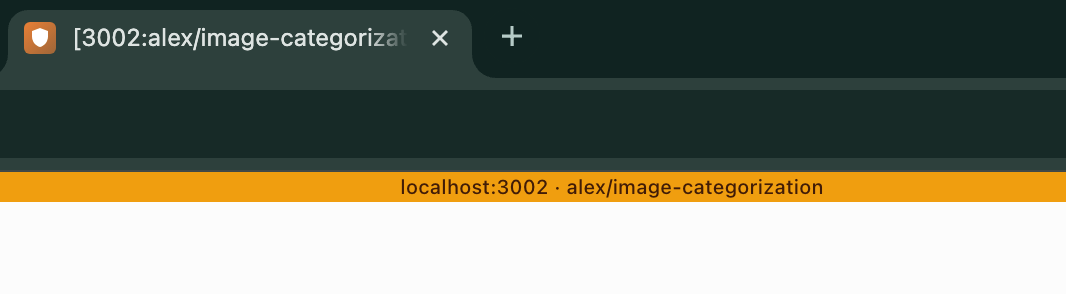
Careful, this can be confusing if you do not build more tooling around it. To help my brain to directly identify the two different code bases in the frontend, each repository has a dedicated localhost port. I also show the feature branch the repository is currently in.
Using tmux sessions
Claude will try to run the dev server too. It can be annoying having Claude run it, as it is hidden as a background process. I am also working in various sessions and this will lead to lost context within the logs if not all sessions can easily access the localhost for the API and Frontend logs.
I've recently started using tmux sessions to start the dev server in a dedicated terminal window. This way I can always see the logs and interact with the server if needed. In the CLAUDE.md, I specify that the dev server is running in a tmux session and that Claude can access it for local debugging and validation.
For projects where I have multiple clones, I specify a port in the environment variables to let Claude know which localhost to use for starting the server and attaching the tmux session.
...
"scripts": {
    "dev:tmux": "PORT=$(grep -s '^DEV_PORT=' .env.local | cut -d= -f2 || echo 3000); PORT=${PORT:-3000} && SESSION=blog-$PORT && (tmux has-session -t $SESSION 2>/dev/null && echo \"Attaching to existing session $SESSION\" && tmux attach -t $SESSION) || (echo \"Starting new session $SESSION on port $PORT\" && tmux new-session -d -s $SESSION -n 'Blog Dev' \"PORT=$PORT NEXT_PUBLIC_SITE_URL=http://localhost:$PORT yarn dev\" && tmux attach -t $SESSION)",
  }
...
In CLAUDE.md:
## Development Server
- Start dev server: `yarn dev:tmux` (creates/attaches to tmux session)
- Port is configured via `DEV_PORT` env variable (default: 3000)
- Session name: `blog-{PORT}` (e.g., `blog-3000`)
- To check dev server output: `tmux capture-pane -t blog-$DEV_PORT -p -S -50`
- To attach to the session: `tmux attach -t blog-$DEV_PORT`
- For multiple instances (different directories), set different `DEV_PORT` in each `.env.local`
- **UI Validator agent**: Use `http://localhost:$DEV_PORT` (check `DEV_PORT` in `.env.local`, default 3000)
Ralph Loop and Spec-driven Development
The amount of interactions you have with Claude Code is a spectrum and also depends on the type of feature you are doing.
- If it's just quick edits, I usually right away prompt and edit.
- If it is a small to mid-sized feature, I definitely use the plan mode, go back and forth to handle edge cases, think about architecture decisions and then start the implementation based on this plan with a fresh context.
- For big features or even multiple in one run, Spec-driven development and Ralph loop come in handy.
I like doing this especially for green field apps where I have multiple features in mind. Using superwhisper, I explain all my feature requirements, the edge cases I can think of and how to test it. I also let Claude augment this and write it all into a PRD file. Then you can start a ralph loop, which will just go ahead as long as it takes until the Requirements are met. This can take around an hour in my experience.
You can check out this project. It is a mix of powerpoint and excalidraw. I have not looked into the code once and this was a couple Ralph Loop iterations with manual testing in between. Magical experience.
Further Reading
There is a lot of noise in the AI Coding field. My favorite sources around this (and more) are Boris Cherny and Simon Willison.